
NATIVE MACOS & iOS DIARY · PRIVATE ICLOUD
Want Apple Journal's privacy—with a real Mac app and 5-year pages?
Same Page keeps the best parts of Apple-native journaling—zero third-party accounts, Face ID / Touch ID lock, and private iCloud sync—while adding a centered native Mac desktop window, five years stacked on every calendar page, and a single $9.99 Universal Purchase.
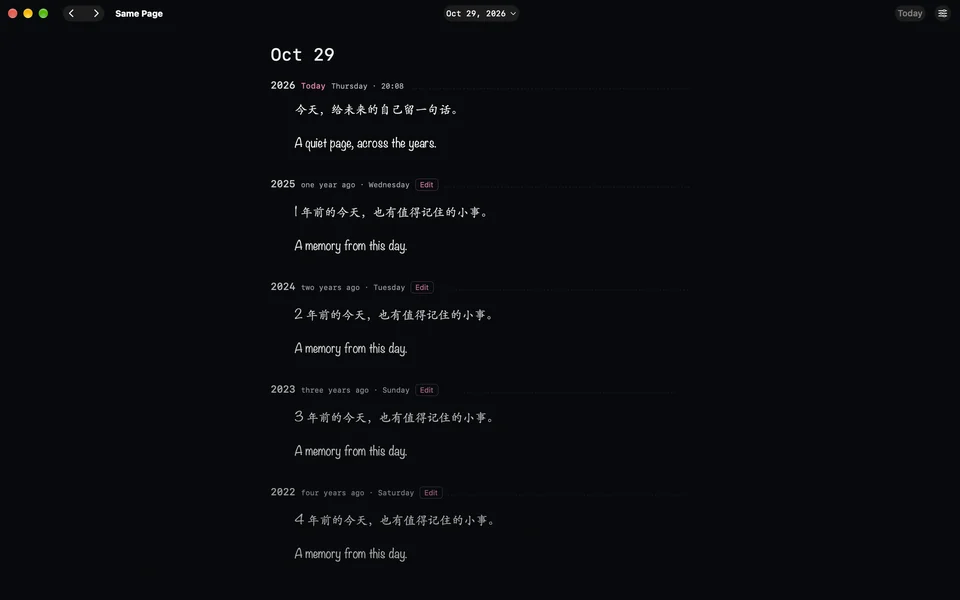
Same Page vs. Apple Journal at a glance
| Feature | Same Page | Apple Journal |
|---|---|---|
| Native macOS desktop app | Yes (AppKit editor, keyboard navigation, Touch ID) | No dedicated five-year Mac book interface |
| Multi-year lookback | Automatic: 5+ years stacked on today's page | Chronological feed (manual scrolling/search) |
| Future time-capsule entries | Write up to 5 years ahead | Past and present dates only |
| Bulk import from Apple Notes | Built-in local Shortcut + Markdown import | No bulk folder migration |
| Typography & custom fonts | 3 dark papers, curated fonts + .ttf/.otf import | System font only |
| Portable archive & book PDF | Standard JSON/ZIP backup + 1-day-per-page PDF | Basic HTML/Print export |
| Price | $9.99 once (unlocks both iPhone & Mac) | Free |
When to stick with Apple Journal vs. upgrade to Same Page
- Stick with Apple Journal if you only write on iPhone and rely on system workout, music and contact suggestions to prompt entries.
- Upgrade to Same Page ($9.99 once) if you love typing longer reflections on a Mac keyboard, want to watch five years of the same date accumulate on a single page, or already have years of dated entries sitting in Apple Notes waiting for a proper home.